









Factors to Consider Before Buying Your First Gaming PC (2026 Guide)

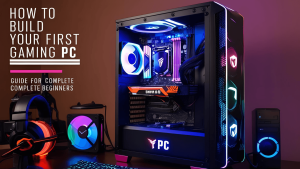
Buying your first gaming PC is exciting, but it can also be confusing. With so many options available, choosing the right setup is not just about picking the most powerful system—it’s about finding the perfect balance between performance, budget, and future needs.
🎮 Understanding Gaming PC Types: Prebuilt vs Custom
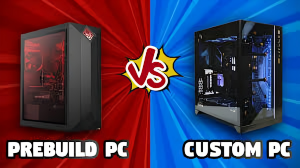
Gaming PCs come in two main options:
- Prebuilt gaming PCs are ready to use and ideal for beginners
- Custom-built PCs offer better performance and flexibility for upgrades
If you want convenience, go prebuilt. If you want maximum value and control, a custom build is the better choice.
⚙️ Identify Your Gaming Needs

Not every gamer needs a high-end PC. Your usage should decide your configuration.
- Casual gaming (GTA V, Fortnite): Mid-range PC works smoothly
- Competitive gaming (Warzone, Valorant): High FPS and strong GPU required
- Streaming & content creation: More RAM and a powerful CPU are essential
Choosing based on your needs helps avoid overspending.
🚀 Performance: CPU, GPU, and RAM
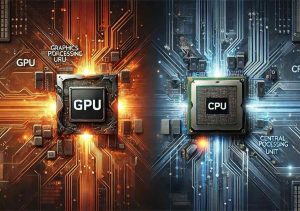
Performance is the heart of any gaming PC.
- GPU (graphics card) is the most important for gaming performance
- CPU (processor) handles multitasking and game physics
- RAM (16GB or more) ensures smooth gameplay and background tasks
A balanced setup always performs better than focusing on just one powerful component.
💾 Storage: Speed Matters

Modern games are large and require fast storage.
- SSD reduces loading times and improves system speed
- Extra storage allows you to install more games without slowdown
Going with SSD storage is a must for a smooth gaming experience.
❄️ Cooling and Airflow
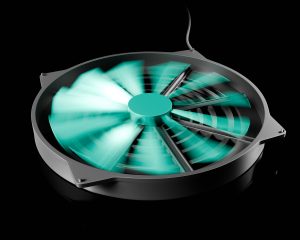
Cooling is often ignored, but it directly affects performance.
- Proper airflow prevents overheating
- Keeps FPS stable during long gaming sessions
- Increases the lifespan of your components
A well-cooled gaming PC performs better and lasts longer.
🖥️ Upgrade Potential and Future Proofing

A good gaming PC should not become outdated quickly.
- Choose a system that supports future upgrades
- Make sure the motherboard and power supply allow expansion
- Upgrade-friendly PCs save money over time
Thinking ahead helps you avoid replacing your entire setup later.
🔌 Connectivity and Setup
Modern gaming setups need multiple connections.
- Enough USB ports for accessories
- Support for multiple monitors
- Stable internet (Ethernet recommended for gaming)
A well-connected setup improves your overall gaming experience.