










Thinking of Buying a Gaming PC in 2026? What You Must Know Before You Decide

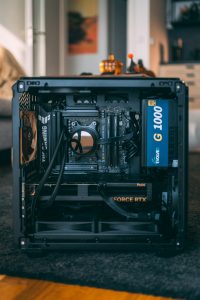
Gaming PCs are no longer just for hardcore gamers—they’re now powerful machines for streaming, content creation, and high-performance work. But buying the right gaming PC isn’t about choosing the most expensive setup. It’s about selecting the right configuration that matches your needs and gives long-term value.
⚙️ Understanding Gaming PC Performance (Simple Guide)
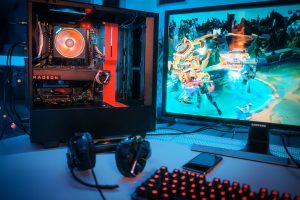
A gaming PC’s performance depends mainly on its core components:
- Processor (CPU) handles multitasking, streaming, and overall system speed
- Graphics card (GPU) delivers smooth gameplay, high FPS, and realistic visuals
- RAM ensures lag-free performance during gaming and background tasks
- SSD storage improves loading times and system responsiveness
A balanced combination of these components gives the best gaming experience instead of focusing on just one powerful part.
🎮 How a Gaming PC Performs in Real Usage

A well-built gaming PC is designed for real-world performance, not just specs on paper.
- Modern GPUs allow smooth gameplay on high settings in popular titles
- Fast SSDs reduce game loading times significantly
- Higher RAM helps in streaming, editing, and multitasking
- Efficient cooling keeps performance stable during long gaming sessions
Whether you’re playing competitive games or running heavy software, a good setup ensures consistent performance.
❄️ Cooling and Airflow Matter More Than You Think
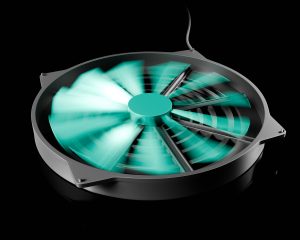
Many buyers ignore cooling, but it directly impacts performance.
- Good airflow prevents overheating and FPS drops
- Cooling systems extend hardware lifespan
- Stable temperatures keep your PC running at full power
If you plan long gaming sessions, proper cooling is a must—not an option.
🧠 Choosing the Right Configuration for Your Needs

Not every user needs a high-end gaming PC.
- Casual gamers can go with mid-range builds for smooth gameplay
- Competitive gamers should prioritize GPU and high refresh rate support
- Streamers and creators need more RAM and powerful CPUs
Avoid overspending on features you won’t use, but don’t go too cheap either—it affects long-term performance.
💾 Storage and Future Upgrades

Modern games are large, so storage matters a lot.
- SSDs provide faster performance than traditional drives
- Extra storage helps manage multiple games and files
- Upgrade-friendly PCs save money in the long run
A future-proof system allows you to upgrade instead of replacing everything.
🖥️ Building vs Buying a Prebuilt Gaming PC
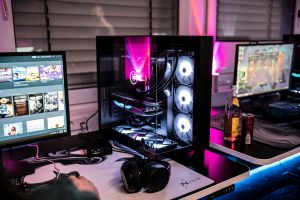
Many users face this confusion.
- Prebuilt PCs are convenient and ready to use
- Custom builds offer better performance for the price
- Upgradability is usually better in custom setups
Choose based on your knowledge, budget, and time.