










Buying Your First Gaming PC in 2026
Buying your first gaming PC is exciting, but it can also be challenging if you are unfamiliar with gaming hardware. Many beginners focus only on graphics cards or processor specifications, but choosing the right gaming PC requires a balance of performance, budget, storage, cooling, and upgrade options. Whether you want to play competitive games, enjoy AAA titles, or create content, understanding the key factors before buying your first gaming PC will help you make a smarter decision.
Table of Contents
- Prebuilt vs Custom Gaming PC
- Identify Your Gaming Needs
- CPU, GPU and RAM
- Storage Requirements
- Cooling and Airflow
- Upgrade Potential
- Connectivity and Setup
Understanding Gaming PC Types: Prebuilt vs Custom
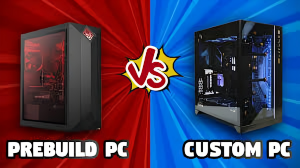
- Prebuilt gaming PCs are ready to use and ideal for beginners
- Custom-built PCs offer better performance and flexibility for upgrades
One of the first decisions when buying your first gaming PC is choosing between a prebuilt system and a custom-built PC.
Prebuilt gaming PCs are ready to use straight out of the box. They are ideal for beginners who want convenience and manufacturer support. On the other hand, custom-built PCs allow you to select every component according to your needs and budget. They often provide better value and make future upgrades easier.
If you are new to PC gaming, a prebuilt system can be a great starting point. However, users who want maximum performance and flexibility may prefer a custom gaming PC.
How to Choose the Right First Gaming PC for Your Needs

Not every gamer needs a high-end PC. Your usage should decide your configuration.
- Casual gaming (GTA V, Fortnite): Mid-range PC works smoothly
- Competitive gaming (Warzone, Valorant): High FPS and strong GPU required
- Streaming & content creation: More RAM and a powerful CPU are essential
Before buying your first gaming PC, think about the games you play most often.
Casual gamers who enjoy games like Minecraft, GTA V, or Fortnite can achieve excellent performance with a mid-range gaming PC. Competitive gamers playing Valorant, Call of Duty: Warzone, or Counter-Strike usually require higher frame rates and a stronger graphics card. Content creators and streamers should also consider additional RAM and a powerful processor to handle multitasking efficiently.
Understanding your gaming goals helps prevent overspending on unnecessary hardware.
CPU, GPU and RAM for Your First Gaming PC
Performance is the most important aspect of any gaming PC.
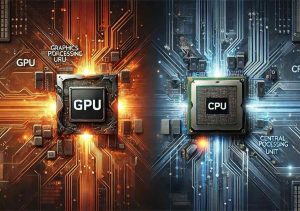
The graphics card (GPU) has the biggest impact on gaming performance. A powerful GPU delivers smoother gameplay, better visual quality, and higher frame rates.
The processor (CPU) handles game calculations, background applications, and multitasking. A modern multi-core processor ensures your system runs efficiently.
RAM is equally important. Most gamers should consider at least 16GB of RAM for modern gaming. This provides enough memory for games, web browsers, streaming software, and other background applications.
A balanced combination of CPU, GPU, and RAM creates the best gaming experience.
Storage Requirements for a First Gaming PC

Storage plays a major role in system responsiveness.
Modern games can require over 100GB of storage space, making fast storage essential. Solid State Drives (SSDs) dramatically reduce loading times and improve overall system performance.
For the best experience, choose a gaming PC with an SSD as the primary drive. Additional storage can be added later for larger game libraries, videos, and files.
Fast storage ensures your first gaming PC feels responsive and ready for gaming at all times.
Cooling and Airflow in a First Gaming PC
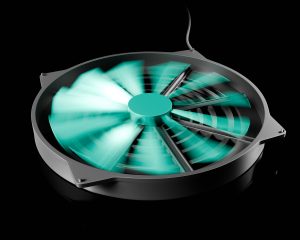
Many buyers overlook cooling when purchasing their first gaming PC.
Proper cooling helps maintain stable temperatures during long gaming sessions. Good airflow prevents overheating and can improve the lifespan of your components.
Gaming PCs with multiple fans, mesh front panels, and efficient airflow designs generally perform better under heavy workloads. Effective cooling also helps maintain consistent FPS performance during demanding games.
Investing in a well-cooled gaming PC can improve reliability and long-term performance.
Future-Proofing Your First Gaming PC

When buying your first gaming PC, it is important to think about future upgrades.
Technology changes quickly, and a system that supports upgrades can save money over time. Look for a motherboard that supports newer hardware and a power supply capable of handling future upgrades.
Upgrade-friendly systems allow you to add more RAM, install larger storage drives, or upgrade the graphics card without replacing the entire computer.
Future-proofing helps your gaming PC remain useful for years.
Connectivity and Setup Considerations
Modern gaming setups require strong connectivity options.
Check that your gaming PC includes enough USB ports for accessories such as keyboards, mice, headsets, and controllers. Multiple monitor support is also useful for productivity and streaming.
For online gaming, a wired Ethernet connection usually provides lower latency and a more stable connection than Wi-Fi.
A well-connected gaming setup enhances both gaming performance and overall convenience.