











Buy Gaming PC in 2026 Overview
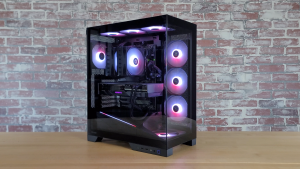
If you plan to buy gaming PC hardware in 2026, making the right decision is more important than ever. If you plan to buy gaming PC hardware in 2026, making the right decision is more important than ever. Modern gaming PCs are no longer limited to gaming alone. They are powerful systems capable of streaming, video editing, content creation, programming, and professional workloads.
Many buyers assume that purchasing the most expensive gaming PC automatically guarantees the best experience. In reality, the ideal system is one that matches your gaming requirements, budget, and future upgrade plans. Understanding the key components of a gaming PC helps you avoid unnecessary spending while maximizing performance.
Whether you are a casual gamer, competitive player, streamer, or content creator, this guide will help you choose the right gaming PC configuration for long-term value.
Understanding Gaming PC Performance
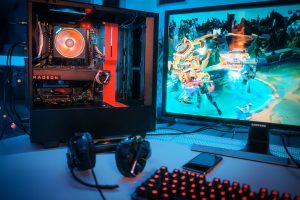
Gaming performance depends on multiple components working together efficiently.
Core Components That Matter
Every gaming PC relies on four major hardware components:
- Processor (CPU)
- Graphics Card (GPU)
- Memory (RAM)
- Storage (SSD)
A balanced combination of these parts produces the best results. Investing heavily in one component while ignoring others often creates performance bottlenecks.
Why Balance Matters
For example:
- A powerful GPU with a weak CPU limits performance.
- Large RAM without a fast SSD reduces responsiveness.
- High-end hardware without proper cooling can cause overheating.
Building a balanced gaming system is always more effective than focusing on a single premium component.
Choosing the Right CPU and GPU
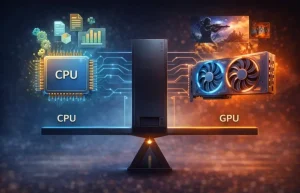
The processor and graphics card are the most important parts of any gaming PC.
Best CPU Options
Modern gamers should consider:
- Intel Core i5
- Intel Core i7
- AMD Ryzen 5
- AMD Ryzen 7
These processors provide excellent gaming and multitasking performance.
Before you buy gaming PC hardware, understanding the CPU is essential.
Best GPU Options
The graphics card directly impacts:
- Frame rates
- Visual quality
- Ray tracing performance
- Gaming responsiveness
Popular options include:
- RTX 4060
- RTX 4070
- RTX 5070
- RTX 5080
Selecting the right GPU depends on your gaming resolution and performance goals.
Anyone planning to buy gaming PC hardware should choose a GPU based on their gaming goals.
Why RAM and SSD Matter
RAM and storage play a critical role in overall system responsiveness.
Recommended RAM
For modern gaming:
- 16GB RAM is recommended
- 32GB RAM is ideal for streamers and creators
Benefits include:
- Faster multitasking
- Better gaming performance
- Improved background application support
SSD Storage Benefits
SSDs provide:
- Faster boot times
- Reduced game loading times
- Improved system responsiveness
- Better file transfer speeds
Most gamers should choose at least a 1TB NVMe SSD for modern gaming needs.
Cooling and Airflow Matter More Than You Think
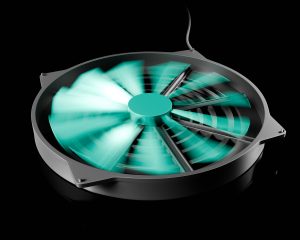
Many first-time buyers underestimate the importance of cooling.
Why Cooling Is Important
Good cooling helps:
- Prevent overheating
- Maintain stable FPS
- Extend hardware lifespan
- Reduce thermal throttling
Air Cooling vs Liquid Cooling
Air Cooling
Benefits:
- Affordable
- Reliable
- Easy maintenance
Liquid Cooling
Benefits:
- Lower temperatures
- Better aesthetics
- Improved performance under heavy workloads
Both solutions work well when properly installed.
When you buy gaming PC hardware, cooling should never be ignored.
Choosing the Right Gaming PC Configuration

Casual Gamers
Suitable specifications:
- RTX 4060
- 16GB RAM
- 1TB SSD
Perfect for:
- Esports titles
- Casual gaming
- Everyday tasks
Competitive Gamers
Recommended specifications:
- RTX 4070 or higher
- High-refresh-rate monitor support
- Fast processors
Ideal for:
- Competitive shooters
- Fast-paced multiplayer games
Streamers and Content Creators
Recommended:
- Powerful CPU
- 32GB RAM
- High-capacity SSD
- Strong cooling system
This setup handles gaming and content creation simultaneously.
Storage and Future Upgrades

Storage requirements continue increasing every year.
Modern games often require:
- 50GB to 150GB per title
- Additional space for updates
- Recording and editing storage
Why Upgradeability Matters
Upgrade-friendly gaming PCs allow:
- GPU upgrades
- RAM upgrades
- Additional storage
- Improved cooling solutions
This extends the lifespan of your investment and reduces future costs.
A future-proof system helps users buy gaming PC hardware with confidence.
Prebuilt vs Custom Gaming PCs
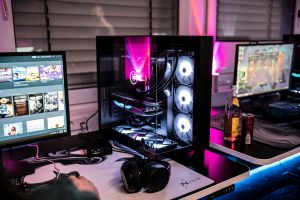
Many buyers struggle with this decision.
Advantages of Prebuilt PCs
Benefits include:
- Ready to use
- Warranty support
- Professional assembly
Suitable for beginners.
Advantages of Custom Gaming PCs
Benefits include:
- Better performance per dollar
- More customization
- Easier upgrades
- Greater component control
Custom builds are often preferred by experienced users.
Common Mistakes When Buying a Gaming PC
Avoid these common mistakes:
Buying Based Only on GPU
A powerful GPU cannot compensate for weak supporting hardware.
Ignoring Cooling
Poor cooling reduces performance and lifespan.
Choosing Too Little Storage
Modern games require significant storage space.
Ignoring Upgrade Potential
Future upgrades save money over time.
Overspending on Features You Will Never Use
Focus on your actual needs instead of marketing claims.
How to Future-Proof Your Gaming PC
To maximize value:
- Choose modern CPUs
- Select upgrade-friendly motherboards
- Buy sufficient RAM
- Invest in quality cooling
- Use SSD storage
These decisions help your gaming PC remain competitive for years.
Final Thoughts
If you plan to buy gaming PC hardware in 2026, focus on balance, performance, cooling, and future upgrades. A well-designed gaming PC delivers far more value than simply purchasing the most expensive components available. By understanding CPUs, GPUs, RAM, SSD storage, cooling systems, and upgrade options, you can confidently choose a gaming PC that meets your gaming and productivity needs for years to come.
The best time to buy gaming PC hardware is when your chosen configuration matches your budget and needs.